Free Typing Games for Kids, No Ads
Typing practice for beginners does not have to mean boring drills. The free typing games on Buildable Kids teach kids home-row fingers and keyboard muscle memory through play, with no ads and no account needed. Typing is one of the few skills that pays off for the rest of a child's life, and learning it before the writing load of middle school ramps up is one of the best gifts you can give them.
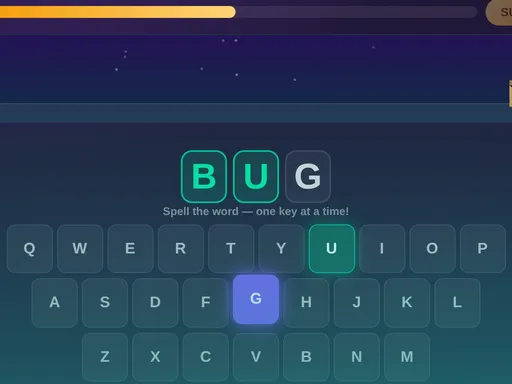
Typing practice for beginners: home-row fingers
Every good typist starts with the home row. Both index fingers rest on F and J (both keys have a raised bump you can feel without looking). The left hand covers A, S, D, F and the right hand covers J, K, L. From those eight anchor keys, every other key on the keyboard is a short reach away.
The typing games on Buildable Kids build this home-row habit through play rather than instruction. A child who plays regularly for a few weeks builds the muscle memory to find the keys without looking down, which is the whole foundation of touch typing.
The typing games
Frog Hop
A frog jumps across lily pads as your child types the letters that appear. Home-row keys come first; reach keys come later as your child improves.
Feed the Monster
Type the letter on each cookie and the hungry monster gobbles it up. A fast, simple game that builds single-key speed and accuracy from the start.
Rocket Launch
Spell the word to fill the rocket with fuel, then blast off to a new planet. Accuracy counts: a wrong key slows the countdown.
Defend the Castle
Spell the word before the enemy reaches your fort. Stars earned in lessons unlock new heroes. The most challenging of the four typing games.
What your child learns
The game teaches home-row finger placement, the reach pattern for every key on a standard keyboard, and the rhythm of typing without looking down at the keys. By the time a child finishes all the mini-games, they have the foundation that professional typing programs build on.
Practice time adds up fast. Even ten minutes, three times a week, produces visible improvement within a month. Most kids of this age go from hunting for each letter one at a time to flowing through full words.
Works on any laptop or desktop in any browser. No account, no email, no download. Progress is saved locally on the device so your child picks up where they left off.